netsi-nature-overtake Version 1.0.0
Kaldes med /netsi-nature-overtake
Hvad nu hvis byen bare holdt op? Giv naturen ti år, og ukrudtet sprænger belægningen. Giv den et århundrede, og birketræer vokser gennem taget. Denne skill forvandler et foto, et sted du beskriver eller en fortælling om en lokation til et troværdigt fotografi af naturens stille overtagelse. Bygningen er stadig til at genkende, mens det vilde langsomt forandrer alt omkring den.
Lav et færdigt, fotorealistisk billede af natur, der tager et sted tilbage over en valgt årrække. Brug et foto, en beskrivelse eller et dokument som udgangspunkt. Bevar genkendelig arkitektur og synsvinkel, og tilpas bevoksning og forfald til tiden, der er gået. Vælg 10, 50, 100 eller 500 år, fotografisk udtryk og eventuelt lys og stemning. Resultatet er en forestillet fremtid, ikke en dokumentarisk påstand. Tænk længere end bevoksning: tag højde for standsede installationer, afløb og vandkvalitet, materialernes udsathed og genstande, der passer til perioden.
Ingen Claude Code? Hent SKILL.md og indsæt indholdet som din prompt i en hvilken som helst AI-chat.
Eksempler på prompts
Forslag til at kopiere og prøve. Det er ikke optagne svar.
/netsi-nature-overtake Brug mit vedhæftede foto af gaden. Vis den efter 50 år med samme synsvinkel og bygninger, der stadig kan genkendes. Stille dokumentarisk udtryk efter regn.
→ Den stejle brostensgade og den karakteristiske bygning er stadig genkendelige, mens mos, bregner, vedbend og unge træer tager over.
/netsi-nature-overtake Vis en forladt svømmehal efter 50 år. Bevar bassinet, vippebrættet og vinduerne, så de kan genkendes. Dokumentariske farver og blødt overskyet lys.
→ Et troværdigt fremtidsfoto: bassinet er tømt og skjoldet med enkelte mørke regnpytter; naturen vokser ind gennem det ødelagte tag.
/netsi-nature-overtake Lav separate billeder af denne fabrik efter 10, 50 og 100 år. Bevar arkitekturen og kameravinklen.
→ Det samme sted udvikler sig fra ukrudt og afskallet maling til slyngplanter, unge træer og skov, med et forfald der passer til hvert tidsrum.
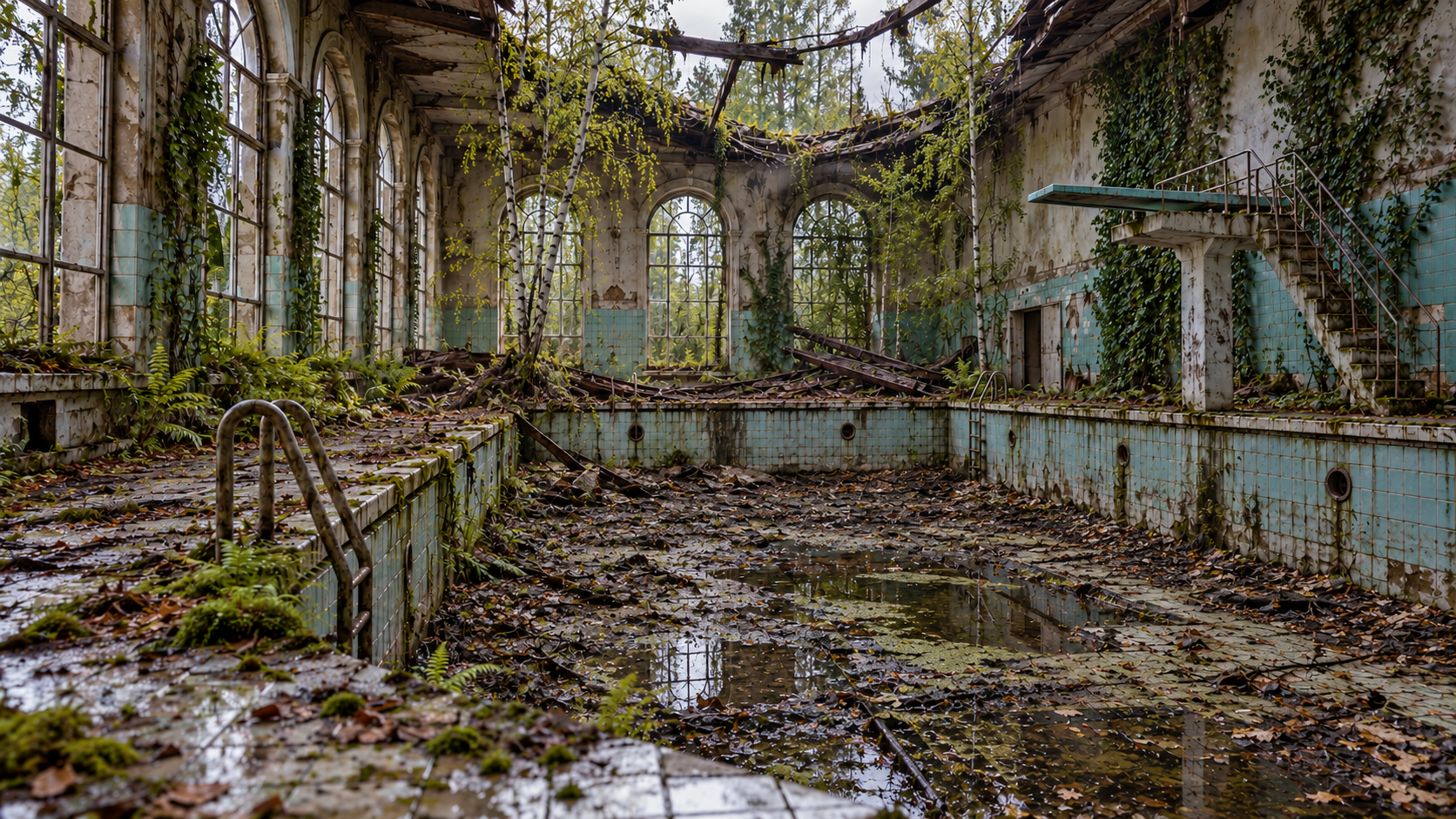
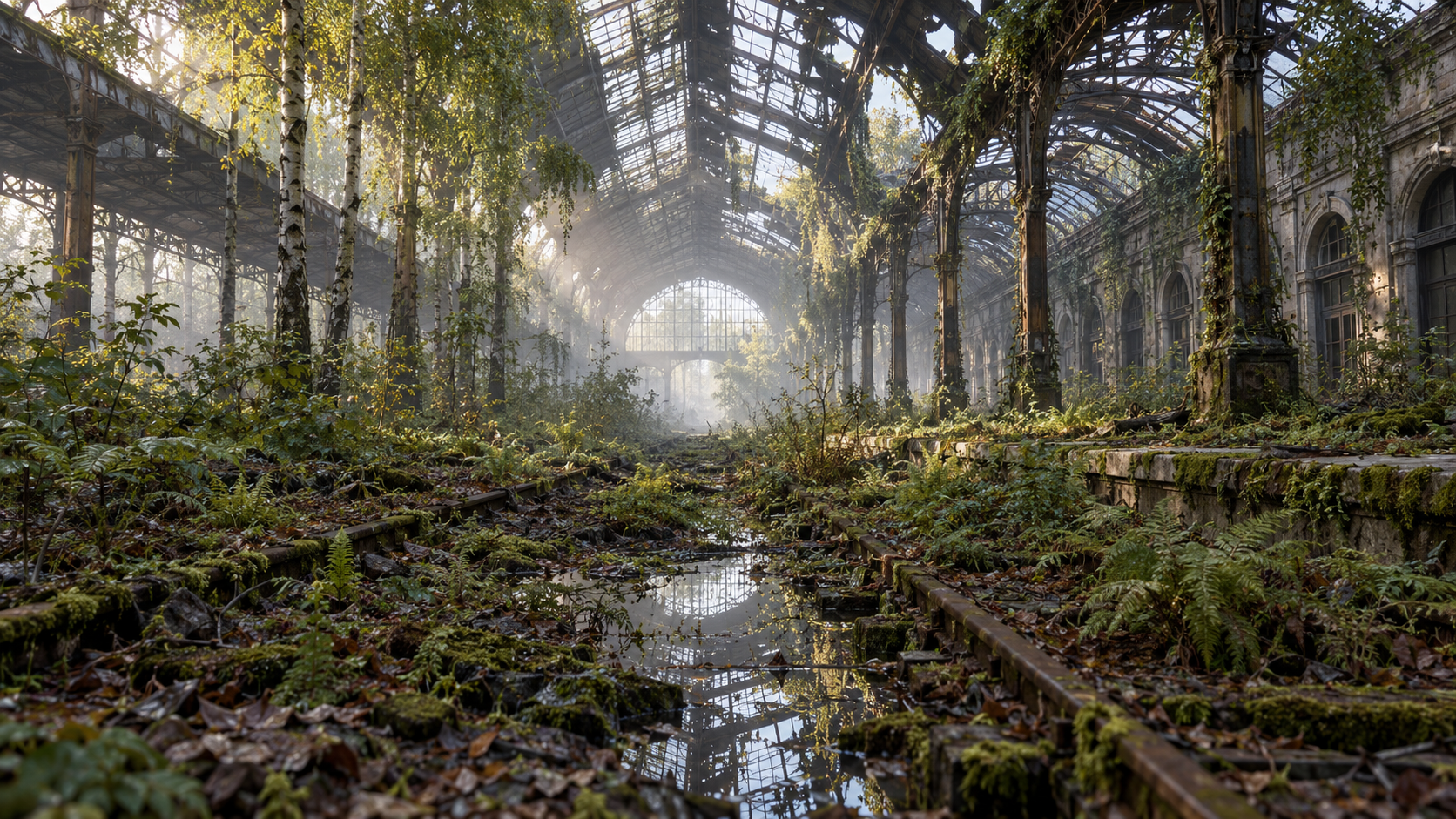
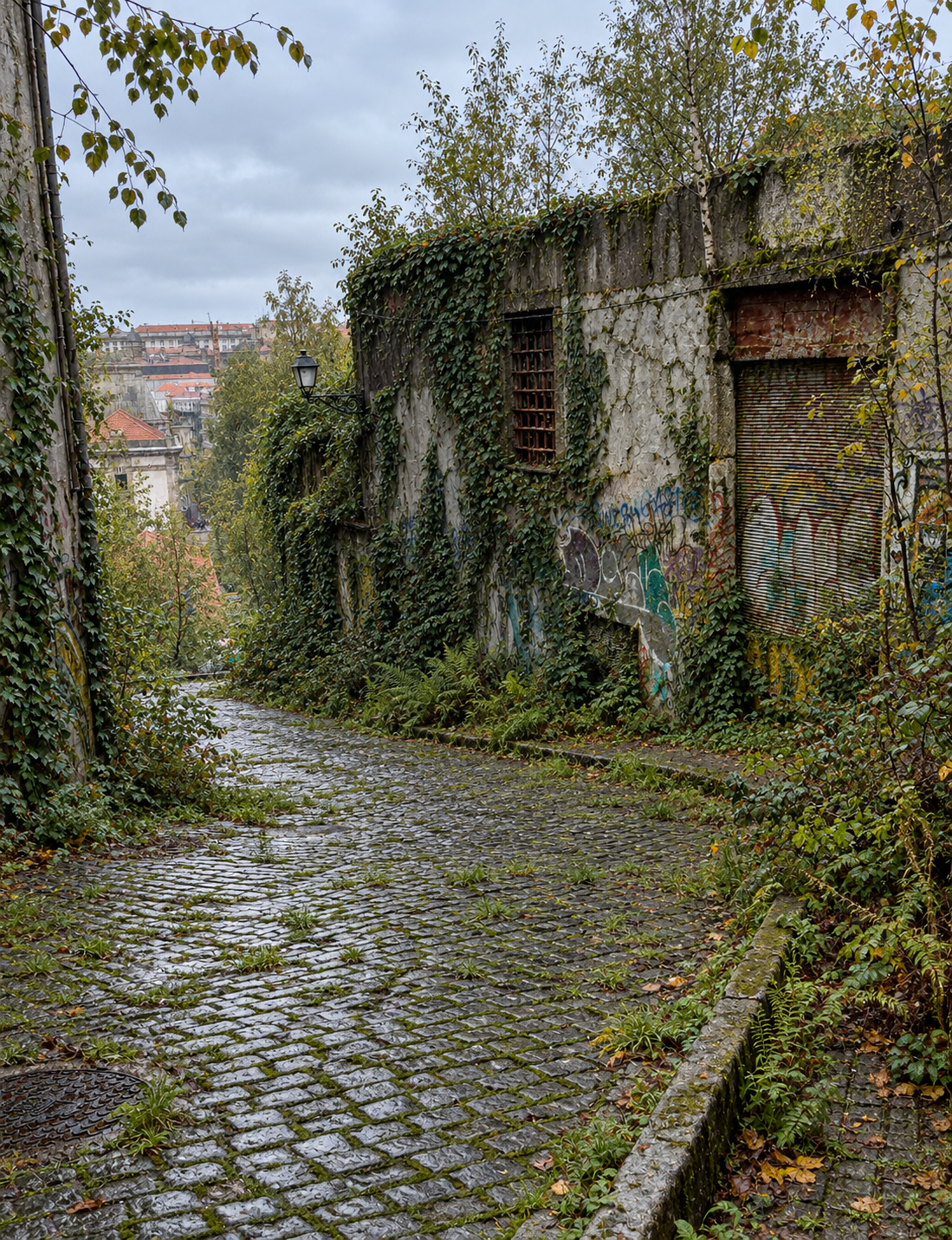
Nature Overtake
Give a familiar place a future without people. Weeds find the cracks first; later, trees take root where roofs once kept out the rain. This skill creates a finished, photorealistic image of nature reclaiming a place while keeping its architectural identity clear enough to recognize.
What to send
- A photo of a place, building, interior or object. Use it as the edit target and preserve its architecture, proportions, viewpoint and distinctive details.
- A place description. Treat its details as the brief and create a coherent photographic scene.
- A document or article. Extract the location, building type, period and defining features. Use only details supported by the text; ask one focused question if a missing fact would change the scene.
If the place is too vague to picture, ask for a photo or one clarifying detail. For an uploaded image, inspect it before editing. Do not reconstruct the user's photo from text when an image-editing tool is available.
Choose the passage of time
Use a timescale the user gives. Otherwise offer the default, 50 years, and the following choices in the user's language. Let the user pick more than one if they want a series.
- 10 years — first foothold: weeds, moss, young vines, peeling paint and the first cracked surfaces. Most human materials remain intact.
- 50 years — deep overgrowth: mature vines, ferns, saplings, damp floors and local roof failures. The place remains clearly readable.
- 100 years — advanced reclamation: trees grow through openings, dense undergrowth takes hold and larger sections of roof or floor have failed. The structural outline remains identifiable.
- 500 years — near wilderness: soil and forest succession dominate. Only a few unmistakable geometries or materials suggest what stood there.
- Another timescale: follow the user's exact number and infer an intermediate, plausible stage. Do not map custom years mechanically to a preset.
Optional photographic choices
When the user has not already specified them, offer a compact choice of style. Default to contemporary color documentary. Atmosphere and creative freedom are optional; do not turn setup into an interview.
- Contemporary color documentary — natural color, available light, clear environmental detail.
- Black-and-white classic — considered tonal range, documentary texture.
- Dramatic cinematic — directional light, deeper shadow and restrained film color.
- Soft atmospheric — diffused light, gentle haze and muted color.
- Vibrant overgrowth — richer greens and natural color while retaining photographic realism.
- Surprise me — choose what suits the place and chosen timescale.
If useful, ask one short follow-up about atmosphere: soft overcast (default), golden hour, mist, after rain or surprise me. Offer closer fidelity to the reference or more atmospheric interpretation only when the distinction matters. Keep explicit user choices; skip questions already answered. When the user asks for defaults or says “surprise me,” generate immediately without another confirmation.
Required capabilities and reference
- Use an image-generation or image-editing tool. Edit the supplied photograph when available; otherwise generate from the text. A prompt by itself is not the deliverable.
- Read
references/nature-overtake.mdbefore generating. It contains the complete realism, configuration, composition and output rules. - If netsi-prompt-generator is installed, use it to shape the internal image prompt; otherwise write one clear self-contained English prompt using the same role, task, context, constraints and output-format structure. Keep the conversation in the user's language.
- If image generation is unavailable, state that plainly and offer a useful photographic brief instead. Never imply that a text prompt is a finished image.
Protect the place's identity
For a photo, retain the same viewpoint and crop by default. Preserve the location's defining geometry, openings, materials, colors and recognizable objects. Aging, vegetation and atmospheric changes should build on those features instead of replacing them. Remove people or vehicles only when the selected timescale and abandonment premise imply their absence; never change a person in a way that misrepresents them.
For a described or documented place, keep stated details authoritative. Do not invent a named real location's history, current condition or ecological facts. Treat the result as an imagined future scene, not evidence of what the real place looks like today.
Think through what time changes
Before writing the image prompt, make a quiet cause-and-effect pass. Consider the site's climate and exposure; what stops working when people leave; how rain, groundwater, drainage, leaks and evaporation affect the space; which materials weather or fail first; and what plants could realistically reach the openings. Let these causes determine the scene. A timescale is not a decoration setting: it changes water, surfaces, objects and infrastructure as well as plant size.
Assume active maintenance and utilities have stopped unless the brief says otherwise. Do not show clear, clean or circulating water in an abandoned pool by default. After decades, an indoor pool is usually drained or damaged; if water plausibly remains, make it limited, still and opaque, with silt, leaves or algae. Standing water belongs only where the building, local rainfall, groundwater and drainage make it plausible. Do not add a beautiful reflective pool just because it makes a striking image.
Keep objects consistent with the scene's actual date and place. If the user sets a historical period, check that clothing, tools, vehicles, materials, eyewear and other technology existed there at that time and fit the people shown. For example, do not add modern spectacles to a scene several centuries ago without a historically grounded reason. When a detail is uncertain and research is available, verify it; otherwise leave it out rather than guess.
Make the takeover believable
- Match plant type and maturity to the known climate; for temperate Europe, favour plausible moss, grasses, ferns, ivy, birch, willow and brambles.
- Scale roots, canopy, soil, leaf litter, damp and structural failure to the timescale. Roofs and exposed floors usually fail before robust walls.
- Keep water, reflections, weather and light consistent across the whole image. Weathered human traces should age naturally.
- Use architectural lines as leading lines and let vegetation interrupt the geometry. Keep a photographic sense of scale, depth and lens; avoid defaulting to shallow focus.
- Avoid fantasy vines, impossible tree sizes, decorative overgrowth without a route to grow, generic apocalyptic props, and a green filter over an otherwise unchanged photo.
Generate and deliver
- Identify the input type, the place's visual invariants and any explicit exclusions.
- Resolve the timescale and only the optional choices that are unanswered and materially useful.
- Quietly check historical chronology, stopped utilities, water behavior, exposure, material decay and plausible plant access before drafting. Resolve conflicts from the actual site rather than applying a generic ruin template.
- Write the internal prompt in English. Describe the exact place and preserved features first, then physically plausible consequences of abandonment and timescale, then composition, light, photographic treatment and requested output format.
- Generate or edit the image. For a local photo, attach that exact image as the edit target.
- Inspect the result for recognizable architecture, plausible plant growth, water and material behavior, period-correct objects, consistent light, realistic depth and accidental text or structural substitutions. Make a focused correction if a major defect remains.
- Deliver the image itself with at most a short caption in the user's language. Do not add analysis unless asked.
Example requests
- “Use my attached photo of this street. Show it after 50 years, with the buildings still recognizable.”
- “En gammel svømmehal efter 100 år. Dokumentarisk farvefoto, overskyet lys.”
- “Create a black-and-white view of this factory after 10 years of abandonment. Keep the original viewpoint.”
- “Show the same station after 10, 50 and 100 years, each as a separate realistic image.”
- “Use this article about a closed school to imagine the site 500 years from now. Misty morning, no text.”
See EXAMPLES.md for a photo-to-future example and additional prompts.
Buy me a coffee :-)
Hvis du kan bruge disse skills, kan du støtte arbejdet.
