netsi-style-like-illustrated-chronicle Version 1.0.0
Kaldes med /netsi-style-like-illustrated-chronicle
Gamle billedbøger havde aldrig brug for talebobler. Én rolig sætning under et billede, og du troede på hvert ord. Denne skill tegner med den stemme. En omhyggelig penstreg, ægte anatomi, dybe dale og afdæmpede trykfarver gør dit foto, din scene eller din idé til en side fra en krønike. Tricket: intet råber, så alt ser sandt ud. Du forbliver præcis dig selv, bare et kapitel inde i en saga.
Laver et færdigt billede ud fra et foto, en scenebeskrivelse eller en kontekst, der skal illustreres. Forener en kontrolleret penstreg med fine, modellerende skraveringer, naturligt proportionerede figurer, dybe landskaber i lag, omhyggeligt studerede dragter og materialer, afdæmpede trykfarver og valgfri fortællertekst i en tekstboks i stedet for talebobler. Tilbyder valgfrie justeringer af tidsalder, farver og billedtekst samt et sammenligningsgrid. Dialogen følger dit sprog; de interne billedprompts er engelske.
Ingen Claude Code? Hent SKILL.md og indsæt indholdet som din prompt i en hvilken som helst AI-chat.
Eksempler på prompts
Forslag til at kopiere og prøve. Det er ikke optagne svar.
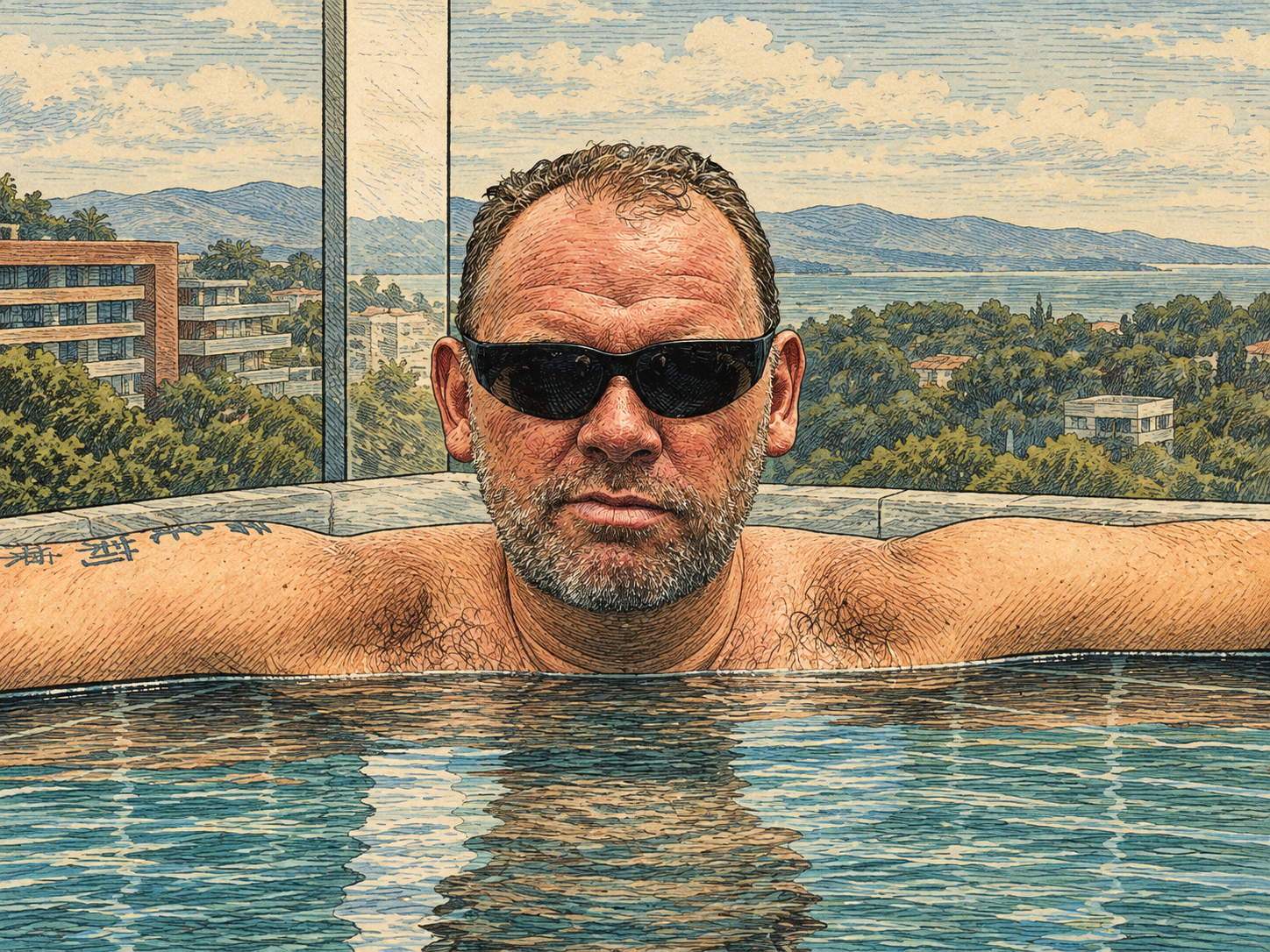
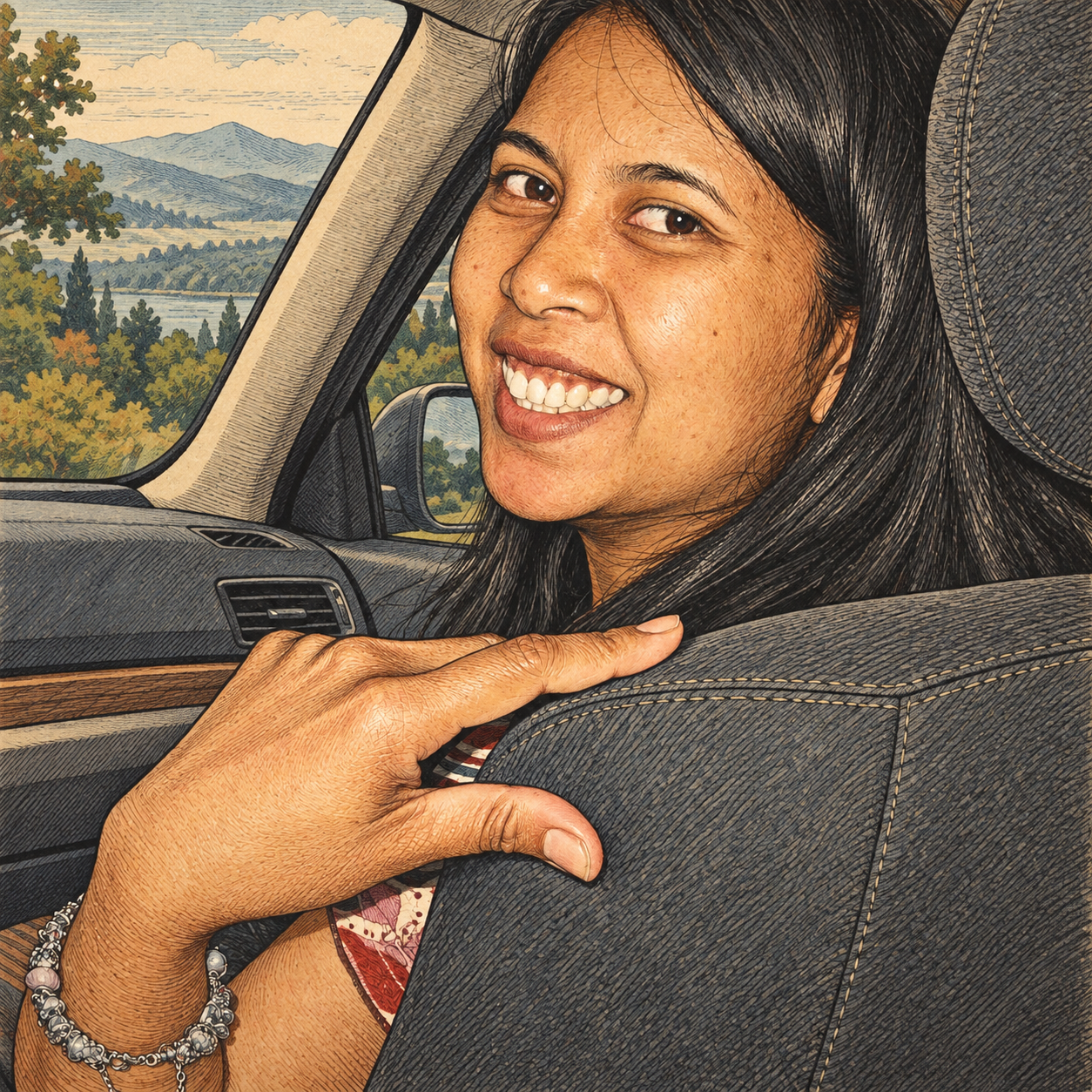
/netsi-style-like-illustrated-chronicle Brug stilen på mit vedhæftede foto. Bevar ansigtet, udtrykket, håndens gestik og omgivelserne, så de kan genkendes. Brug standardstilen.
→ Du får en færdig illustration af dit foto. Skillen undersøger billedet først, bevarer dig præcis, som du er, og tegner scenen om med omhyggelig skravering, ægte dybde og rolige trykfarver.
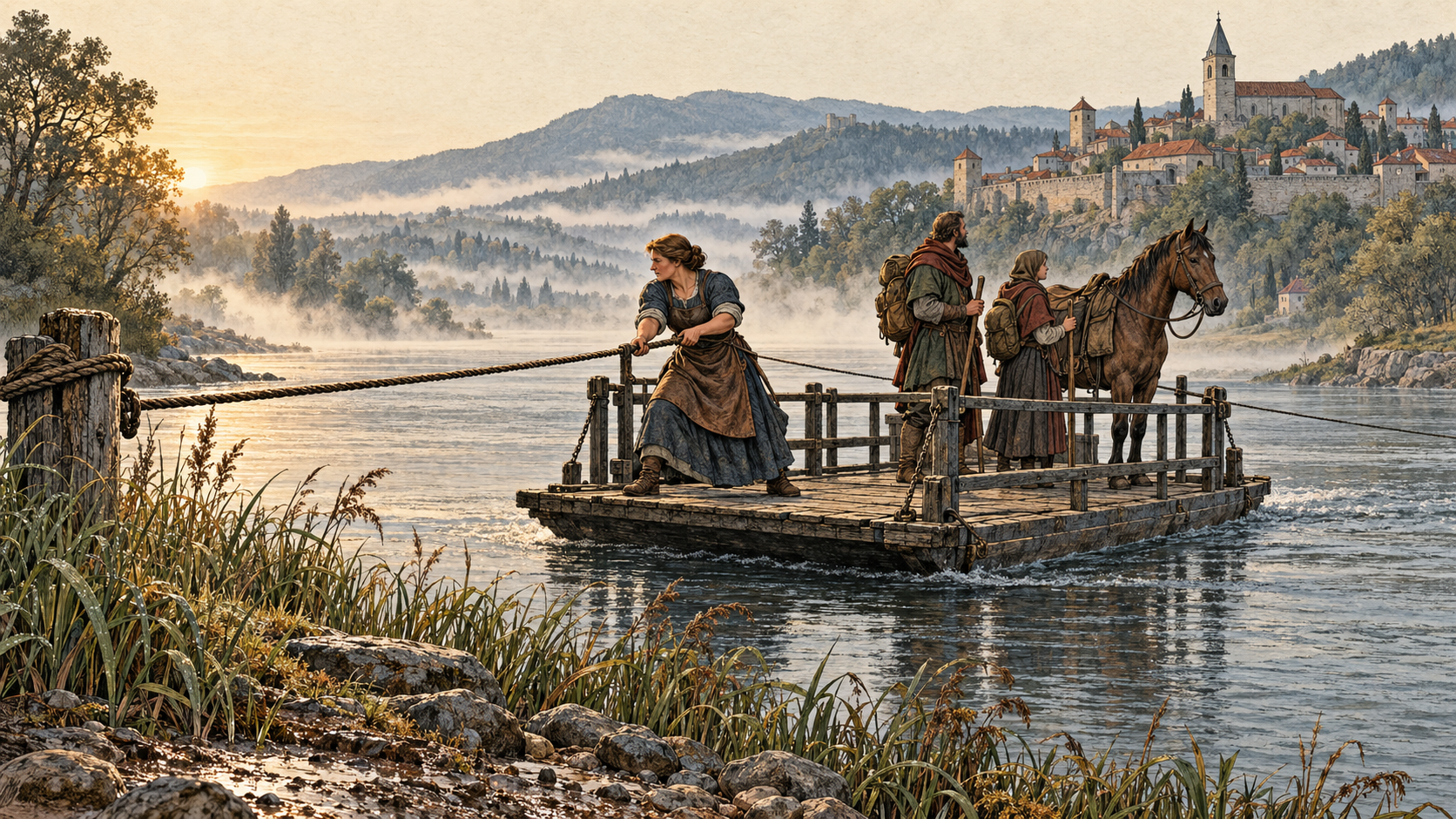
/netsi-style-like-illustrated-chronicle Ved daggry trækker en færgekone en trækfærge over en bred, diset flod. To rejsende med oppakning og en hest står på dækket; skovklædte bakker og en lille by med bymur rejser sig bagved. 16:9, ingen tekst.
→ Du får en færdig scene med en detaljeret flodbred forrest, færgen i midten og bakker, der forsvinder i morgendis. Hvert reb, hver kappe og hver planke er tegnet som ægte materiale.
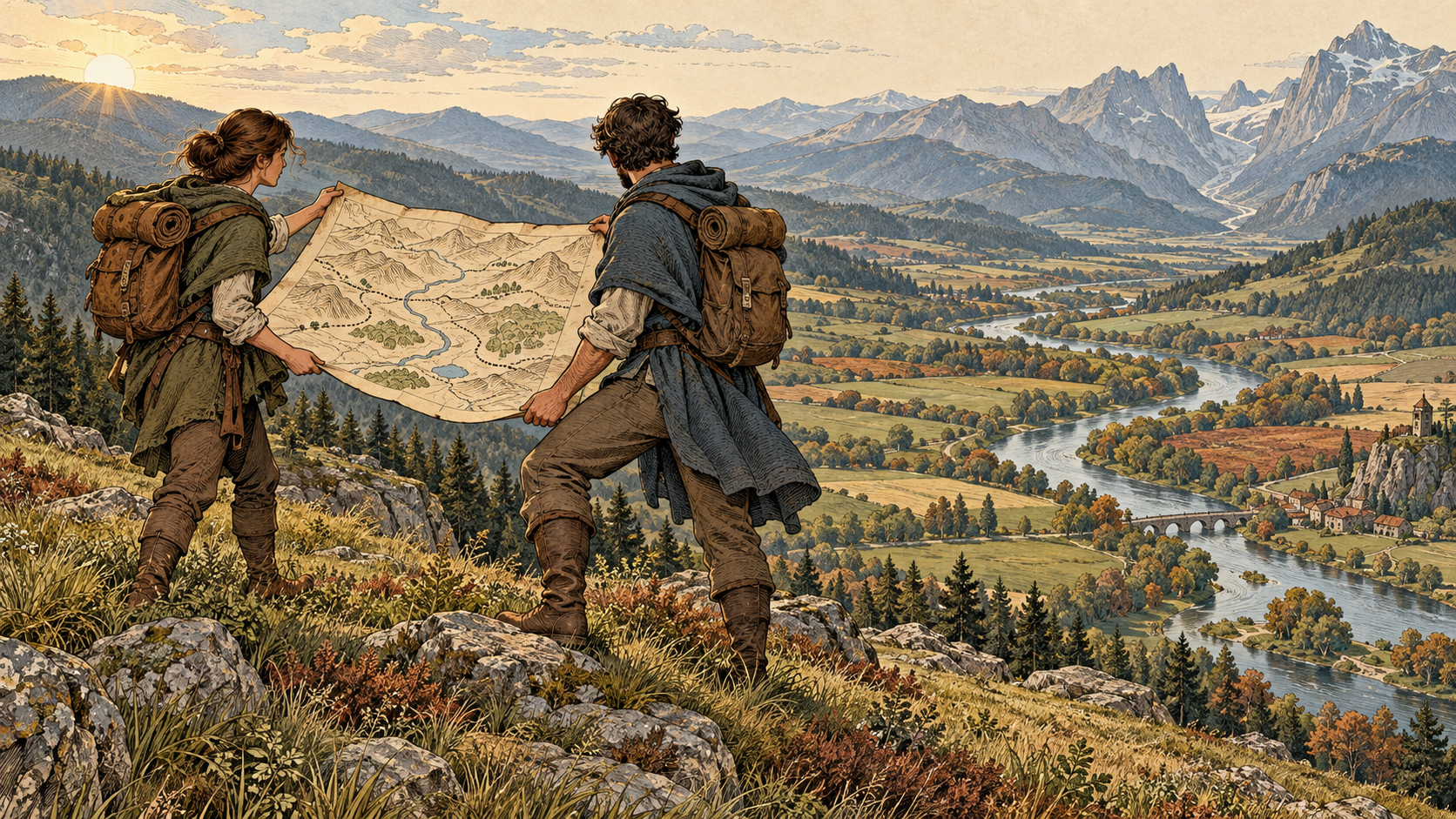
/netsi-style-like-illustrated-chronicle Illustrér idéen om, at ethvert langt projekt begynder med at kortlægge terrænet, til forsiden af en onboarding-guide. 16:9. Ingen tekst i billedet.
→ Du får et originalt krønikeøjeblik: to figurer på en bakketop ruller et kort ud over den dal, de skal krydse. Budskabet kommer frem uden ord eller opdigtede fakta.
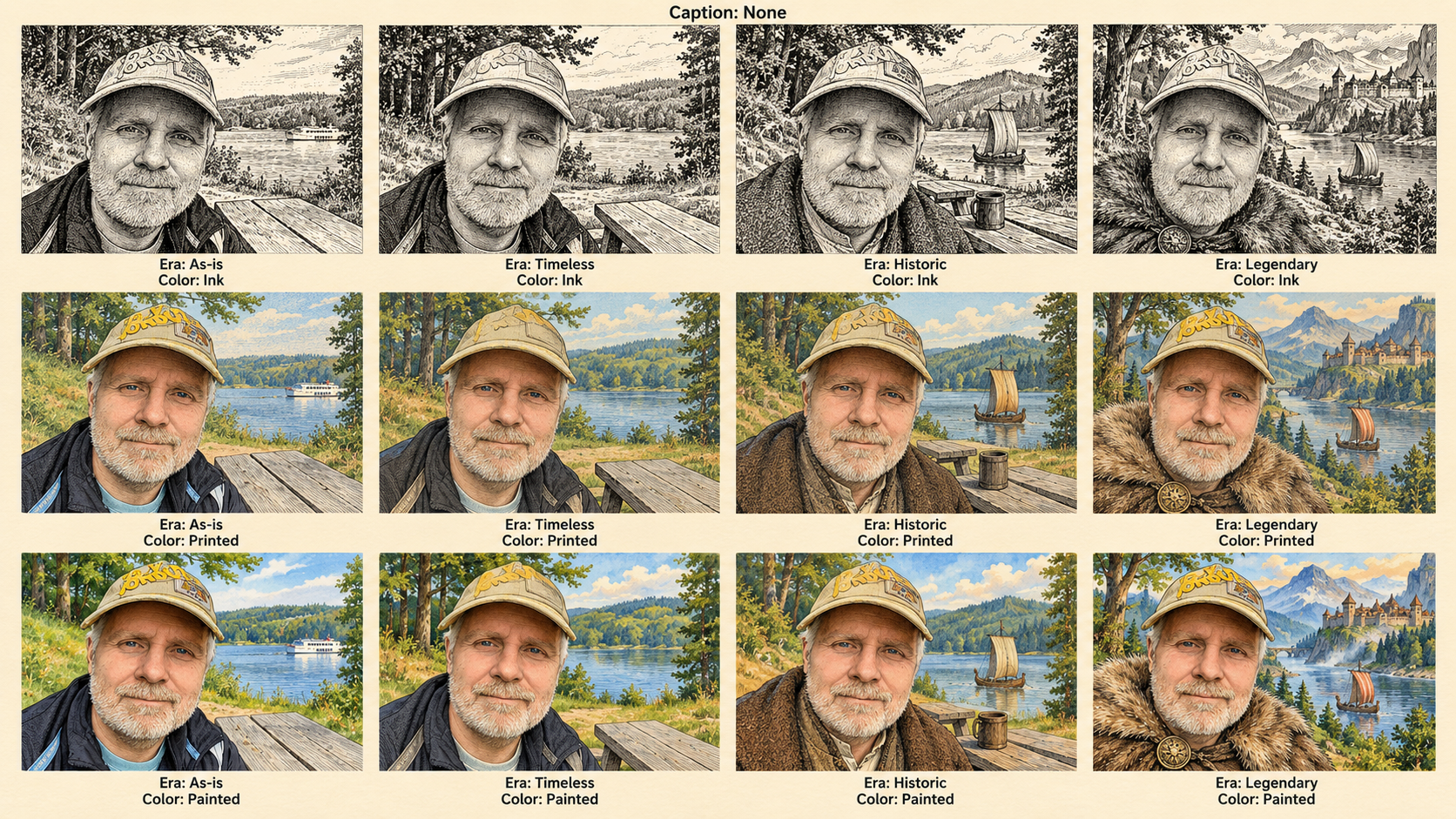
/netsi-style-like-illustrated-chronicle Brug mit vedhæftede portræt ved søen til at vise Era og Color i et grid på 4 × 3. Behold Caption på None. Ét 16:9-billede med engelske tweak-værdier under hvert felt.
→ Du får 12 sammenlignelige illustrationer i ét billede. Kolonnerne flytter tøj og omgivelser længere tilbage i tiden, rækkerne skifter farverne, og samme person kan genkendes i hvert felt.
Illustrated Chronicle
Turn a familiar subject into a page from an illustrated chronicle: a carefully drawn, naturalistic tableau set in a deep landscape, told in the calm voice of a caption rather than a speech balloon. A supplied face stays recognizable; a described scene stays yours; a context becomes one decisive moment from a saga. Deliver the image itself.
Required capabilities and resources
- Use an image-generation/editing tool. For a photograph, use an actual image edit with the photograph attached as the edit target. Do not reconstruct it from a description alone.
- Use netsi-prompt-generator for the internal image prompt. If it is installed, read its instructions. Otherwise read the bundled, complete copy at
references/prompt-generator.mdand apply that skill's workflow to the prompt subtask. - Read
references/style-profile.mdbefore composing the prompt, andreferences/tweaks.mdwhen adjustments or a comparison are relevant. - Inspect the bundled generated examples in
https://assets.netsi.dk/skills/netsi-style-like-illustrated-chronicle/images/as anonymous visual calibration, especiallyhttps://assets.netsi.dk/skills/netsi-style-like-illustrated-chronicle/images/04-river-ferry.pngfor landscape depth and color andhttps://assets.netsi.dk/skills/netsi-style-like-illustrated-chronicle/images/02-car.pngfor figure drawing. When the image tool supports multiple references, supply the input photograph as the edit target and a relevant bundled illustration as the style reference only. In a new scene, the bundled illustrations are style references only. Never copy their subject, composition, identity or labels into the user's result. Do not redistribute historical research scans. - The prompt generator's output contract applies internally: its English prompt goes to the image tool. The parent skill's user-facing deliverable remains the finished image.
- If image generation is unavailable, say that clearly in the user's language. Do not label an English prompt or a mockup as a generated image. Never silently substitute a different provider or paid API.
Recognize one of three inputs
A — Image. Inspect the photograph. Record the person or subject, face proportions, age, expression, pose, hands, clothing, glasses, recognizable accessories, objects, framing and meaningful setting. Preserve these unless the user explicitly asks to change them. Retain the input aspect ratio by default. A style reference is a different role from the edit target; do not swap them.
B — Scene. Extract who or what is present, actions, setting, period, composition and any explicit constraints. Keep the scene's content and period. A modern scene stays modern: the chronicle language comes from drawing, depth, light and gravity, not from swapping in armor or castles. If no aspect ratio is supplied, use 16:9 for a scene; follow a stated medium such as a square social post instead when provided.
C — Context. Extract the message, audience, mood and destination from the supplied text or conversation. Choose a concrete, original narrative moment, the kind a chronicle would pause on: a departure, a crossing, a discovery, a vigil. Do not invent facts, numbers, quotations or branding. Make the message understandable without text by default. Ask only if materially different interpretations prevent a useful result. Use the requested destination's aspect ratio, otherwise 16:9.
If inputs are combined, infer their roles: for example, an image is the subject and a paragraph supplies the illustration's message. Ask one focused question only when the roles conflict.
Optional adjustments: zero to three
The canonical controls are Era, Color, and Caption. Values and defaults live in the tweaks reference. Never weaken the identity of this style by changing its controlled, naturalistic draftsmanship to a cartoon, a generic filter or another medium.
If the request is clear, apply the explicit values or defaults and generate immediately. Do not require a questionnaire. If the user asks to explore, requests a materially ambiguous adjustment, or a meaningful unresolved choice would change the result, use an AskUserQuestion interaction: the environment's interactive question tool, or the same concise question in chat when no such tool is available.
Offer at most three relevant tweak controls. Ask one focused question at a time, explain its visual effect in plain language, place the recommended/default answer first, and allow a custom answer and discussion. Where tool schemas add free text automatically, do not duplicate it with a fake option. Infer answers already supplied. Do not mistake silence for consent to a material change. If the user simply wants the default image, no question is needed.
Translate questions, explanations and choices into the user's language. Canonical parameter values stay English in prompts and grid labels. Natural-language requests such as "gør mig til en figur fra en gammel saga" may be mapped directly to a suitable value (Era = Historic) without asking again.
Respect a scene's stated content: a modern office stays an office, and "no text" implies Caption = None. Stated content takes precedence over a style default. Caption text is never invented without approval: if Caption is not None, propose the sentence or use the user's wording.
Generate, inspect, deliver
- Inspect the input and identify its type and invariants.
- Load the detailed style profile. Resolve any relevant optional adjustments.
- Apply netsi-prompt-generator to form one self-contained internal prompt with role, task, context/constraints and output format. Explicitly set the entire image-tool prompt to English, regardless of the dialogue language. Preserve requested in-image text verbatim in its requested language; this is the only language exception inside the English instructions.
- Include the profile's core traits, their priorities, selected tweak values and the input's exact preservation constraints. Use descriptive traits only. Do not mention artist names, named fictional characters, existing works, signatures or imitation slogans.
- Generate or edit the actual image. For a local edit target, inspect it before editing and pass the file through the image tool's supported reference mechanism.
- Inspect the result: recognize the subject; check face, expression, accessories and hand gesture; check scene content; check the controlled line with modeling hatches, natural anatomy, deep layered landscape, studied costume folds, muted printed color, and any requested caption box and its exact text. The style must influence the drawing, not merely sepia-tint the photograph or paste a castle behind the subject.
- If a material defect exists, make a focused revision and inspect again. Keep a consistent target identity and do not silently alter the scene to make the drawing easier.
- Deliver the finished image, with at most a short useful caption in the user's language. Keep the internal prompt hidden unless the user explicitly asks for it. Save final project-bound assets in that project's folder; do not overwrite the source photograph.
Never turn a person into a known fictional hero, a knight from an existing story or any recognizable character. Era changes may restyle clothing and setting only when selected; face, beard, glasses, tattoos and other identity markers stay.
Comparison grids
When requested, create one 16:9 image with 4 columns × 3 rows (12 image cells). Use the same subject, identity, pose, objects and crop in every cell. Reserve a legible label strip under each image, inside the overall canvas. Labels contain the exact English parameter names and values, never artist names. Use the schedule in references/tweaks.md: it includes the default and varies Era and Color while keeping Caption at None. A matrix may explore Caption instead if requested, but must state the exact changed values.
Generate the artwork with the image tool. Use supported layout/text composition tools to assemble a precise grid if available; do not use code to imitate the illustration or recolor a photograph as a substitute. A single image-tool call may render the complete labeled grid. Verify 12 cells, order, visible differences, literal labels and a 16:9 canvas (allow one pixel of integer raster rounding) before delivering. Regenerate if lettering or structure is wrong.
Do not claim pixel-identical identity or perfectly isolated experimental control: image generation can vary details. Aim for faithful, visually comparable variations and disclose a material limitation if it remains.
Start with an example
- Attach a photograph: "Apply this style. Keep the face, pose and surroundings recognizable." (see
https://assets.netsi.dk/skills/netsi-style-like-illustrated-chronicle/images/01-pool.pngandhttps://assets.netsi.dk/skills/netsi-style-like-illustrated-chronicle/images/02-car.png) - Describe a scene: "At dawn a ferrywoman hauls a rope ferry across a wide, misty river. Two travelers with packs and a horse stand on the deck; wooded hills and a small walled town rise behind them." (see
https://assets.netsi.dk/skills/netsi-style-like-illustrated-chronicle/images/04-river-ferry.png) - Supply context: "Illustrate the idea that every long project starts by mapping the ground, for the cover of an onboarding guide. No text in the image." (see
https://assets.netsi.dk/skills/netsi-style-like-illustrated-chronicle/images/05-mapping-context.png) - Explore adjustments: "Show my attached lakeside portrait in a 4 × 3 comparison grid with English tweak labels." (see
https://assets.netsi.dk/skills/netsi-style-like-illustrated-chronicle/images/03-tweak-grid.png)
See EXAMPLES.md for actual generated outputs, source photos and the comparison grid.
Buy me a coffee :-)
Hvis du kan bruge disse skills, kan du støtte arbejdet.
